BlogsBlogs

Explore cutting-edge articles on laboratory products, industry innovations, and research trends with Lab Consulting.

Explore cutting-edge articles on laboratory products, industry innovations, and research trends with Lab Consulting.

What Are the 7 Best MPO Patch Cables in 2026?

MPO Patch cables carry multiple optical fibers through one compact connector, helping data centers manage dense links without filling every rack with individual strands. In 2026, the right choice still depends on the link, not just the product label. A cable suited to a short multimode connection may not fit a single-mode backbone or a high-speed transceiver setup. Small details matter.

This guide compares seven MPO Patch cable options by practical factors: fiber type, connector configuration, polarity, fiber count, length, and published insertion-loss specifications. It also considers jacket and connector quality, because a poor fit or dirty endface can undermine an otherwise capable link. Check the equipment documentation. Verify both ends.

There is no universal winner. That is the catch. Product names can hide different pin arrangements, polish types, and performance grades, even within one product family. Specifications and availability may also change, so confirm the current manufacturer datasheet before ordering. We do not treat a high price or a strong marketing claim as proof of better performance. Instead, the comparison is intended to help readers match a cable to their transceivers, cassette or adapter, and installation conditions. Some trade-offs remain imperfect: a shorter cable can reduce slack, but leave little room for routing changes. Use the recommendations as a shortlist, then check compatibility with your actual network design.
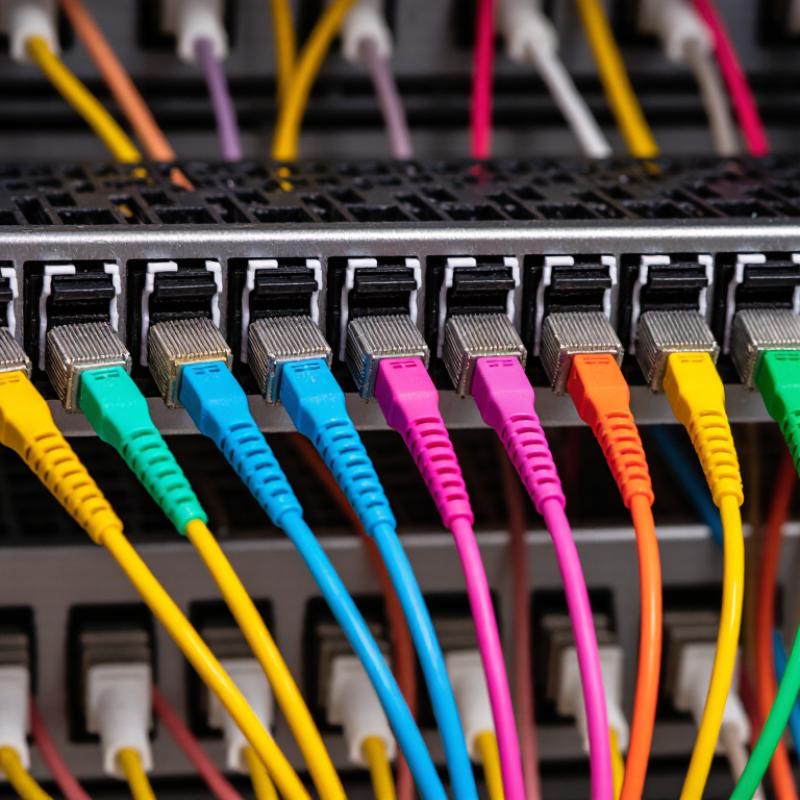
What Are the 7 Best MPO Patch Cables in 2026?

What MPO Patch Cables Are and How They Work

MPO patch cables carry several optical fibers through one compact connector. Instead of plugging in many single-fiber leads, a technician can connect multiple channels at once. Common configurations include 8, 12, and 16 fibers, though the correct count depends on the equipment. Inside the connector, fibers sit in a precise row. Alignment matters. A tiny offset can add signal loss, even when the cable looks undamaged.

In a parallel-optics link, some fibers carry light toward the receiving device while others carry light back. The exact transmit-and-receive layout depends on the transceivers and polarity plan. That detail is easy to overlook. MPO trunks can connect two compatible ports directly, or link through cassettes that split the fibers into individual connectors. Before installation, check fiber type, connector gender, fiber count, and polarity against the equipment documentation. A mismatch may leave a link dark or connect channels incorrectly. Keep end faces capped until use, and inspect and clean them with suitable tools; dust can disrupt several channels at once. Even experienced installers can miss a small polarity error, so documenting the path helps during troubleshooting.

The Main Types of MPO Patch Cables Used in 2026

The main MPO patch-cable types differ by fiber mode, polarity, connector pinning, and fan-out design. Multimode OM3 or OM4 cables commonly serve short data-center links, while OS2 single-mode cables suit longer runs. Match the fiber mode to the transceivers and installed cabling, not just the distance. Polarity matters. Type A keeps fiber positions straight, Type B reverses them, and Type C swaps adjacent fiber pairs. These patterns determine whether transmit and receive paths align. A wrong choice can leave a fully seated connection with no working channel.

MPO connectors may be pinned or unpinned, and the two mating ends must be compatible. Check the labels. Trunk cables link panels directly; harness or breakout cables split one MPO connector into duplex connectors for switch ports. Fiber counts commonly include 8, 12, 16, and 24, but confirm equipment support and port mapping before ordering. APC and UPC finishes are not interchangeable, so check connector specifications and inspect clean end faces before testing. Cable naming can be confusing, even for experienced installers. I would double-check polarity and pinning before trusting a familiar-looking jacket.

Key Criteria for Evaluating MPO Cable Performance

MPO patch cable performance starts with the job it must do. Match the fiber type, core count, and connector gender to the equipment and link design.

A cable that fits physically can still fail when its polarity does not match the transceiver path. Check the polarity method at both ends. It is easy to overlook.

Insertion loss deserves close attention. Ask for measured loss per channel, not just a broad cable-level claim. Return loss also matters, especially in links sensitive to reflected light.

Inspect endfaces for dust or scratches before mating; even a small contaminant can raise loss. Cleanliness is not optional.

Review test results from a calibrated source and meter, and confirm that the measurement method suits the fiber and connector type.

Mechanical details count, too. Verify length, jacket rating, bend limits, and strain relief against the route through the rack. Tight bends behind a panel can create trouble after a clean bench test.

For dense connections, labeling and a clear polarity record help technicians trace channels without repeated unplugging.

A higher specification is not automatically the better choice; it may add cost without improving the actual link. And specifications do not catch every installation mistake.

Check the completed path under its intended operating conditions.

Seven MPO Patch Cable Options for Different Network Needs

OM4 MPO patch cables suit short data-center links, such as a row connecting switches to server racks. OS2 options fit longer campus or building runs where single-mode fiber is required. OM5 can support some shortwave-division-multiplexing systems, but only when the connected equipment supports that method. Match the fiber type to the optics, not just the distance.

MPO-12 cables serve many parallel-optics links, while MPO-24 versions can support higher fiber counts in compatible systems. Low-loss MPO cables are useful when a link budget is tight. MPO-to-LC breakout cables connect a multi-fiber trunk to individual duplex equipment ports. That can simplify a rack, though it adds connection points to inspect.

Polarity and connector gender matter just as much as cable category. Confirm the required A, B, or C polarity, pin arrangement, fiber count, and end-face type at both ends. Check the pinout. A neat label helps, but it cannot fix a mismatched configuration. Even a carefully chosen cable can disappoint if the transceivers expect another fiber arrangement; verify the equipment documentation before ordering. Small details matter.

How to Match an MPO Patch Cable to Your Infrastructure

What Are the 7 Best MPO Patch Cables in 2026?

Matching an MPO patch cable to your infrastructure starts with the installed fiber type. Multimode links commonly use OM3, OM4, or OM5 fiber; single-mode links typically use OS2. The cable must match the transceivers and the rest of the optical path. Check fiber count, connector format, and key orientation, too. A 12-fiber cable may not suit equipment designed for 8 or 16 fibers. Small mismatches can leave ports unused or prevent a link from coming up.

Polarity deserves close attention. Transceivers send and receive on specific fibers, so the cable, cassette, and trunk must work together as a complete path. Confirm connector pinning and polarity against equipment documentation rather than relying on color alone. Also review insertion-loss limits and cable length. A few extra meters can help with routing, but excess slack may crowd a rack and bend too tightly. This detail is easy to overlook, even on a carefully planned upgrade.

Tips: Before ordering, map both ends of the link and record fiber type, count, polarity, and connector gender. Clean and inspect end faces before installation. Keep bend radius within the cable specification, and label each connection clearly. A simple port map can save time later. Don’t guess.

What Are the 7 Best MPO Patch Cables in 2026? — How to Match an MPO Patch Cable to Your Infrastructure

MPO Cable Type Best-Fit Infrastructure Fiber and Reach Considerations Polarity and Connector Checks Key Selection Advice
8-fiber multimode MPO patch cable Parallel-optics links such as 40GBASE-SR4 and 100GBASE-SR4 installations. Typically OM3 or OM4 multimode fiber; choose the grade and length supported by the transceivers. Confirm the required polarity for the optical link. Match male (pinned) and female (unpinned) connectors at each mated interface. A practical choice when the optics use eight fibers. Check the transceiver pinout and polarity plan before ordering.
12-fiber multimode MPO trunk cable Data-center backbone links, structured cabling, and cassette-based distribution. Commonly available in OM3, OM4, and OM5; supported reach depends on the fiber grade and application. Choose Type A, Type B, or Type C polarity to match the complete channel design—not just one cable segment. Useful for established 12-fiber cabling systems. Verify cassette and equipment mapping at both ends.
16-fiber MPO multimode patch cable High-speed parallel-optics links and equipment designed for 16-fiber MPO interfaces. Often specified with multimode fiber for short-reach data-center connections; confirm the optical interface requirements. Check the connector's fiber layout, key orientation, pin configuration, and required polarity. Some 400G implementations use 16 fibers, while others use different fiber arrangements. Match the cable to the exact transceiver specification.
24-fiber MPO multimode trunk cable High-density backbone runs and links feeding multiple cassettes or equipment ports. Commonly used with OM4 in data centers; select fiber grade according to application and channel-length limits. Confirm the 24-fiber connector layout and how fibers map through downstream modules. Can consolidate many fibers into one run. Check that every connected component supports the same fiber count and mapping.
OS2 single-mode MPO patch cable Single-mode parallel optics, campus or data-center interconnects, and infrastructure requiring single-mode fiber. OS2 is single-mode fiber; usable distance and wavelength depend on the transceiver and optical budget. Confirm single-mode compatibility, connector end face, polarity, and pinned/unpinned requirements. Choose when the optics specify single-mode fiber. Do not substitute multimode cable based only on connector fit.
OM4 multimode MPO patch cable Short-reach data-center links using multimode transceivers, including many 40G and 100G deployments. OM4 supports higher bandwidth than OM3 and is commonly selected for data-center multimode channels; application reach still varies. Match the MPO fiber count, polarity, and connector gender to the transceiver and cabling path. A strong general-purpose option for compatible multimode systems. Check the transceiver's wavelength and maximum channel length.
MPO-to-LC breakout cable Connecting an MPO trunk or port to equipment with individual duplex LC interfaces. Available in multimode or single-mode versions; select the same fiber type as the connected optics and trunk. Verify the MPO-to-LC fiber mapping, duplex pairing, polarity, and whether the MPO end is pinned or unpinned. Useful for migration and port distribution. Confirm that the breakout's LC pairs land on the intended transmit and receive channels.

Before purchasing: Confirm fiber type, fiber count, connector gender, key orientation, polarity, insertion-loss requirements, and transceiver compatibility across the entire channel. MPO configurations are not interchangeable just because the connectors appear to fit.

Article Source:

Newsletter

Subscribe to our newsletter and receive the latest news and exclusive insights every month. No spam.